 Passer au contenu
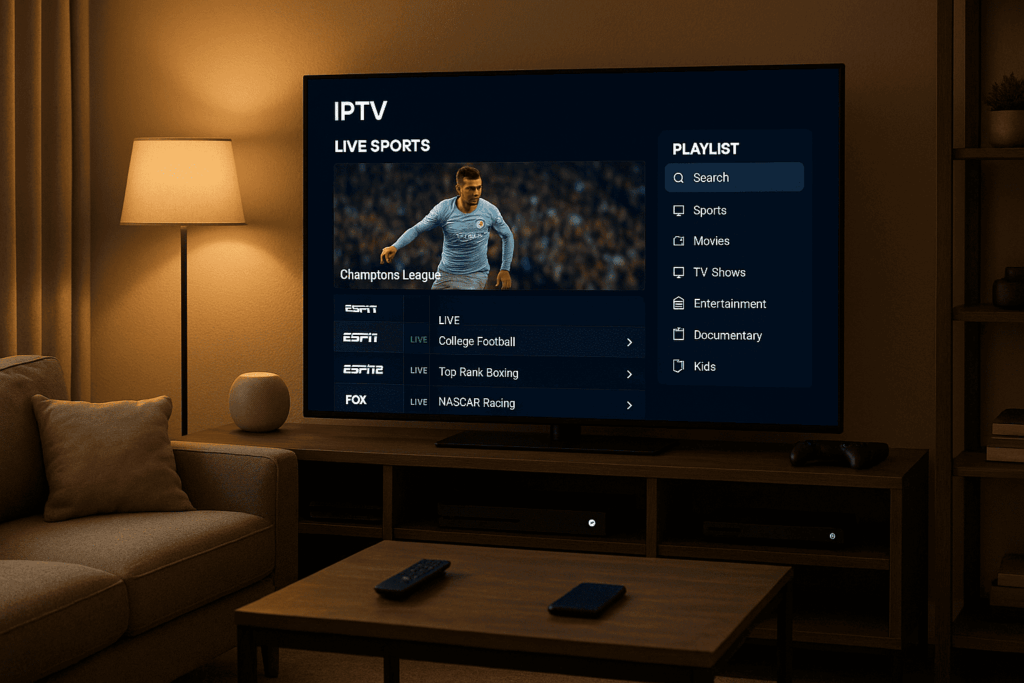
📺 What Is IBO Player?
IBO Player is a modern IPTV player app designed to let users stream live TV, movies, and series using an M3U playlist or Xtream Codes login. It’s available on Smart TVs like Samsung and LG, as well as Android-based devices like Firestick and Android TV boxes.
Unlike IPTV services that provide content, IBO Player does not offer any channels or streams by default. It’s just the software — you’ll need to upload your own playlist from an IPTV provider.
Some key features of IBO Player include:
Clean user interface with categories for Live TV, Movies, and Series
Support for M3U, Xtream Codes, and MAC-based playlists
Subtitle and EPG support
One-time activation after the free trial (around €8)
This makes IBO Player a popular choice for users who already have a reliable IPTV provider and need a sleek, easy-to-use app for streaming on their TV.
💡 Tip: If you don’t have a playlist yet, providers like Flixivooffer M3U trials that work perfectly with IBO Player.
📂 What Is an IBO Player Playlist?
An IBO Player playlist is essentially a file or URL that contains all the streaming channel information your IBO Player app needs to access live TV, movies, and series. Without this playlist, the app itself cannot display any content because it does not host streams.
The most common formats of an IBO Player playlist are:
M3U Playlist: A text-based file or URL listing channels, stream URLs, and sometimes EPG (Electronic Program Guide) data. It’s the most widely used format for IPTV services.
Xtream Codes API: A login-based system where the app connects to a provider’s server using username, password, and server URL, delivering the playlist dynamically.
MAC Address Activation: A method where your device’s MAC address is registered with an IPTV provider, who then pushes the playlist directly to your device.
Why the Playlist Is Important for IBO Player
Because IBO Player is just a media player and does not include content on its own, the ibo player playlist is your gateway to streaming. It tells the app what channels you can watch, their streaming URLs, and how to organize them.
How to Get an IBO Player Playlist
To use IBO Player effectively, you need a reliable IPTV provider that supplies a compatible playlist. Many IPTV providers offer playlists specifically optimized for IBO Player.
For example, Flixivo offers IBO Player playlists that work smoothly with the app, featuring a wide range of live sports, entertainment, and international channels. They also provide trial playlists, so you can test the service before subscribing.
Key Features of a Good IBO Player Playlist
Stable streaming URLs with minimal buffering
Up-to-date channel lists, including popular sports and entertainment channels
EPG support for easy program guides
Compatibility with IBO Player’s M3U or Xtream Codes system
Support for Smart TVs, Firestick, and Android devices
🛠️ How to Add a Playlist to IBO Player (Step-by-Step Guide)
Adding your IBO Player playlist is simple and only takes a few minutes. Whether you’re using an M3U URL or Xtream Codes login, the process is nearly the same. Here’s a complete walkthrough to get you started:
✅ Step 1: Install IBO Player on Your Device
IBO Player is available on:
Samsung & LG Smart TVs (via their app stores)
Amazon Firestick (via Downloader or sideloading)
Android TV Boxes or Smart TVs (via APK)
Once installed, open the app. You’ll see a screen showing your Device ID and MAC Address — you’ll need this in the next step.
✅ Step 2: Go to the IBO Player Portal
Visit: https://iboiptv.com/device/login
Here’s what to do:
Enter your Device ID or MAC Address
Click Login
This links your device to your playlist data.
✅ Step 3: Upload or Add Your Playlist
You’ll now see a panel where you can choose how to add your ibo player playlist:
🔹 Option 1: M3U Playlist
Paste your M3U URL (provided by your IPTV service, like Flixivo)
Add a playlist name (e.g., “Flixivo USA”)
🔹 Option 2: Xtream Codes Login
Enter the Username, Password, and Server URL from your IPTV provider
Click Submit to save the playlist to your device.
✅ Step 4: Restart the App
Once you’ve added the playlist:
Reopen the IBO Player app on your device
It will fetch your playlist and display available channels
🧠 Pro Tip: If you’re new and don’t have a playlist yet, you can get a free trial from Flixivo — their playlists are fully compatible with IBO Player.
✅ Optional: Activate IBO Player
The app includes a free trial (7 days). After that, you’ll need to:
Visit the IBO website
Pay a one-time activation fee (approx. €8)
Use your MAC address to register the device
With your ibo player playlist properly added, you can now enjoy live sports, movies, and TV channels on your Smart TV or streaming device.
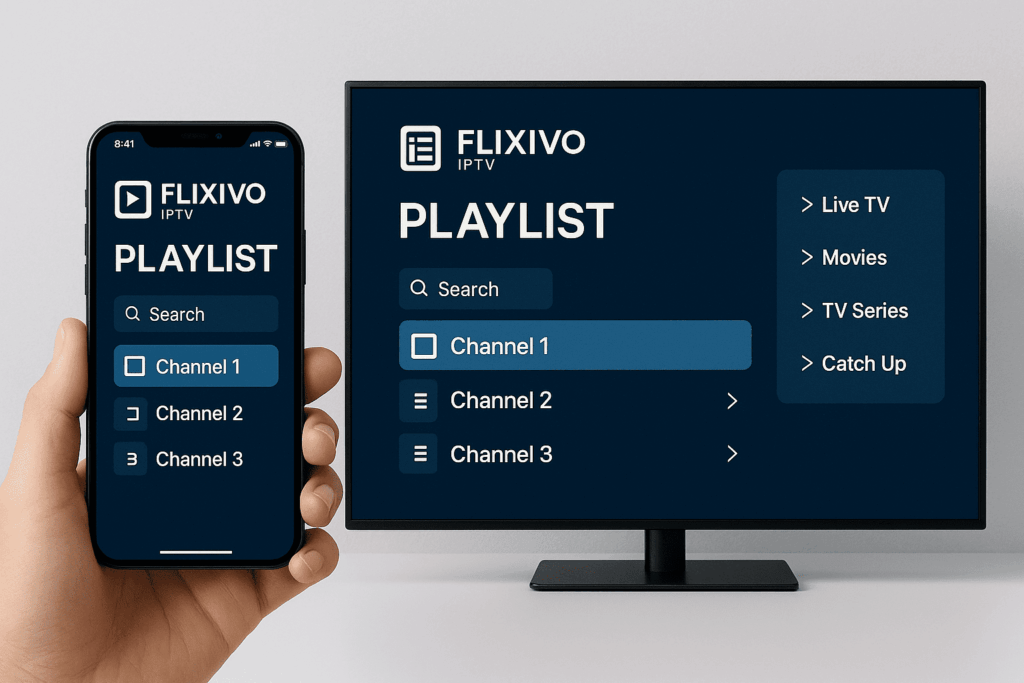
🔗 Where to Get a Working Playlist (Try Flixivo)
Since IBO Player doesn’t include any content by default, the most important step is finding a reliable IPTV provider that offers a high-quality, compatible IBO Player playlist.
That’s where Flixivo comes in.
💡 Why Flixivo Works Well with IBO Player
Flixivo is an IPTV provider known for:
✅ M3U and Xtream Codes compatibility
✅ Fast, HD streams with minimal buffering
✅ A wide range of live channels, including sports, news, movies, and international content
✅ Full support for Smart TVs, Firestick, Android TV, and IBO Player
✅ Free trial access before committing
You can request a free trial playlist from Flixivo and use it to test IBO Player right away.
🎯 How to Get a Flixivo IBO Player Playlist
Visit the Flixivo website or contact support
Request an M3U or Xtream Codes trial
Use the playlist details to upload them into the IBO Player portal (iboiptv.com)
Restart IBO Player — and your playlist will load!
🔒 Note: Always test the playlist during peak hours (like sports games) to evaluate stability.
A working ibo player playlist from a trusted provider like Flixivo ensures you don’t waste time with buffering, broken channels, or trial-and-error setups. You get the full experience of what IBO Player can offer — with zero frustration.
🖥️ Compatible Devices for IBO Player
One of the reasons IBO Player is so popular is its wide compatibility with modern streaming devices. Whether you’re using a Smart TV or a streaming stick, you can easily install the app and load your IBO Player playlist in just a few minutes.
Here’s a list of supported devices:
🧿 1. Samsung Smart TV
Available directly in the Samsung App Store
Works on models from 2017 and newer
Easy remote navigation and smooth playlist loading
🧿 2. LG Smart TV
Downloadable from the LG Content Store
Compatible with WebOS
Supports full M3U and Xtream Codes input for playlists
🧿 3. Amazon Firestick / Fire TV
Not available in the Amazon store, but can be installed via:
Downloader app (with APK link)
Filelinked or manually sideloaded
Works great with Flixivo’s IBO Player playlist
🧿 4. Android TV / Android Boxes
Install directly via APK or Play Store (if available)
Compatible with popular boxes like Nvidia Shield, X96, and Formuler
Smooth UI and great for users who want to add multiple playlists
🧿 5. Android Smartphones & Tablets
Some users install it for testing playlists before loading on TV
Useful if you want to preview your IBO Player playlist first
⚠️ Not Supported (As of Now):
Roku
Apple TV (natively, unless sideloaded via jailbreak or advanced methods)
✅ Best Device for Using IBO Player?
For most users, the best setup is either a Samsung/LG Smart TV or an Amazon Firestick, paired with a stable IPTV playlist from a provider like Flixivo. This combination gives you great performance, easy controls, and a clean viewing experience.
🧠 Reminder: Without a good IPTV source, IBO Player is just a shell. Make sure your IBO Player playlist comes from a trusted provider like Flixivo for the best results.

🛑 Common Playlist Issues and How to Fix Them
Sometimes, even after uploading your IBO Player playlist, you might run into small errors or playback problems. Most of these are easy to solve once you know what to look for.
Here are the most common issues — and how to fix them quickly:
⚠️ 1. Playlist Not Loading After Upload
Possible Causes:
Wrong M3U or Xtream Codes format
Typos in the URL or login fields
The IPTV provider’s server is offline
Fix:
Double-check the M3U link or login details
Test the playlist on another device (like VLC Player)
Contact your IPTV provider (e.g. Flixivo) for confirmation or a fresh link
🔁 2. Channels Not Showing Up or Missing Categories
Possible Causes:
Playlist isn’t formatted correctly
Some categories are unsupported by the app
Fix:
Ask your IPTV provider for a fully categorized playlist
If using Xtream Codes, try switching to M3U (or vice versa)
⏳ 3. Buffering or Freezing Streams
Possible Causes:
Weak internet connection
Overloaded IPTV server
Device performance limitations
Fix:
Use a wired Ethernet connection if possible
Switch to SD streams for slower connections
Use Flixivo or another provider known for stable, fast servers
💡 Flixivo’s IBO Player playlists are optimized for Smart TV performance, reducing lag and improving stream quality.
🛑 4. “Expired App” or Activation Errors
Cause:
IBO Player free trial has ended (usually 7 days)
Fix:
Go to iboiptv.com
Pay the one-time activation fee (around €8)
Use your MAC or Device ID to activate the app
🔄 5. Playlist Doesn’t Update Automatically
Cause:
Some playlists require manual refreshes
Fix:
Log into the IBO Player portal and re-upload the updated playlist
Clear the app cache or restart the app to force reload
By staying aware of these common issues, you can make sure your ibo player playlist works smoothly — especially during live sports or prime-time events. And when in doubt, use a reliable source like Flixivo to avoid 90% of these problems.
🔓 IBO Player Activation: Is It Required?
Yes — after the initial 7-day free trial, you’ll need to activate IBO Player with a one-time payment in order to continue using your IBO Player playlist.
This activation is not related to your IPTV subscription or playlist provider — it’s simply a license fee to unlock the app permanently on your device.
🧾 How Much Does Activation Cost?
As of 2025:
The one-time activation fee is approximately €7.99 EUR
Paid directly on the official website: https://iboiptv.com
No recurring monthly or annual charges
🖥️ Steps to Activate IBO Player
Open the IBO Player App
Locate your Device ID or MAC Address (shown on the startup screen)
Go to the Official Activation Page
Enter Your Device Info
Type your MAC or Device ID into the activation form
Make the Payment
Pay via card or PayPal
Once complete, your app will be fully unlocked
❗ Important Notes
You only need to activate IBO Player once per device
Your IBO Player playlist remains separate — even if the app is activated, you still need an IPTV provider like Flixivo to supply content
If you change devices, you’ll need to activate again on the new one
🎯 Many users pair IBO Player with Flixivo’s IPTV playlist because it works perfectly post-activation, with no compatibility issues.
This quick activation step ensures you can enjoy a smooth and unrestricted viewing experience — especially during live sports events or premium TV nights.
⚔️ IBO Player vs Other IPTV Players
Choosing the right IPTV player can make a big difference in your streaming experience. While IBO Player is a solid option, it’s helpful to see how it stacks up against other popular IPTV players — especially when it comes to ease of use, performance, and compatibility with your IBO Player playlist.
Here’s a breakdown of IBO Player vs some of the top alternatives:
🆚 IBO Player vs IPTV Smarters Pro
| Feature | IBO Player | IPTV Smarters Pro |
|---|---|---|
| Setup | Easy (via portal) | Easy (login in app) |
| Activation | One-time fee | Free (some versions), Pro is paid |
| Interface | Sleek & minimalist | More detailed, with recording/PIP |
| M3U/Xtream Support | ✅ Yes | ✅ Yes |
| Appareils pris en charge | Smart TVs, Firestick, Android | Android, iOS, Firestick, PC |
| EPG & VOD Support | ✅ | ✅ |
Verdict:
If you’re using a Smart TV and want a clean interface with fast channel loading, IBO Player is a great pick. Smarters is better for mobile or multi-device use.
🆚 IBO Player vs Smart IPTV
| Feature | IBO Player | Smart IPTV |
|---|---|---|
| Activation | €7.99 | €5.49 |
| Playlist Type | M3U, Xtream | M3U only |
| Portal Interface | Yes | Yes |
| Design | Modern | Outdated UI |
| EPG Support | ✅ Yes | ❌ Limited |
Verdict:
IBO Player offers more modern features and Xtream support. It’s a better long-term choice, especially if your IPTV provider (like Flixivo) offers Xtream login.
🆚 IBO Player vs TiviMate
| Feature | IBO Player | TiviMate |
|---|---|---|
| Device Focus | Smart TV, Firestick | Android only |
| M3U/Xtream Support | ✅ | ✅ |
| Advanced Features | Basic | Advanced (catch-up, recording) |
| Activation | One-time | Monthly or Lifetime |
Verdict:
TiviMate is more advanced but requires Android and a paid subscription for premium features. IBO Player is easier for casual users, especially on Smart TVs.
🎯 Final Thoughts
If you’re looking for:
A smooth experience on Samsung/LG TVs
Full M3U/Xtream Codes compatibility
Reliable playback of your IBO Player playlist
Then IBO Player + Flixivo is a solid combo — simple to set up, affordable, and stable for daily use or sports streaming.
✅ Conclusion: Stream Smarter with IBO Player + a Reliable Playlist
IBO Player is a sleek, user-friendly IPTV app that works especially well for Smart TV users who want a clean, no-fuss streaming experience. But as you’ve seen throughout this guide, the app is only as good as the IBO Player playlist you connect to it.
Whether you’re watching live sports, movies, or international channels, having a reliable, stable IPTV playlist makes all the difference. That’s why many users are pairing IBO Player with providers like Flixivo — offering:
💡 Fully compatible M3U and Xtream Codes playlists
📺 High-quality streams with minimal buffering
🧪 Free trials so you can test before committing
🔁 Regular updates and wide channel selection
So if you’re just getting started with IBO Player or looking to improve your streaming setup, make sure your playlist is coming from a provider you can trust.
🟢 Ready to stream? Request your Flixivo trial and load it into IBO Player today for a smooth, premium IPTV experience.
🎯 Take Control of Your Streaming with Flixivo + IBO Player
If you’ve made it this far, you already know that IBO Player is one of the most reliable IPTV players for Smart TVs and streaming devices. But even the best app needs a great playlist to unlock its full potential. That’s where Flixivo comes in. With fast servers, high-quality HD and FHD streams, and full support for both M3U and Xtream Codes, Flixivo delivers a seamless IPTV experience that works perfectly with your IBO Player playlist.
You won’t have to worry about buffering during live games, missing channels, or wasting hours searching for a working link. Flixivo takes care of all of that — and lets you test everything with a free trial, no commitment. Whether you’re a sports fan, movie lover, or just want reliable live TV, this setup is built to deliver.
👉 So if you’re ready for smooth, high-quality streaming with zero hassle, request your Flixivo trial now, load it into IBO Player, and start watching in minutes. You’ll never go back to unreliable IPTV again.
 French
  English
  Dutch
Dutch  German
  Spanish